Already draw in SketchUp?Put real cabinets in it.
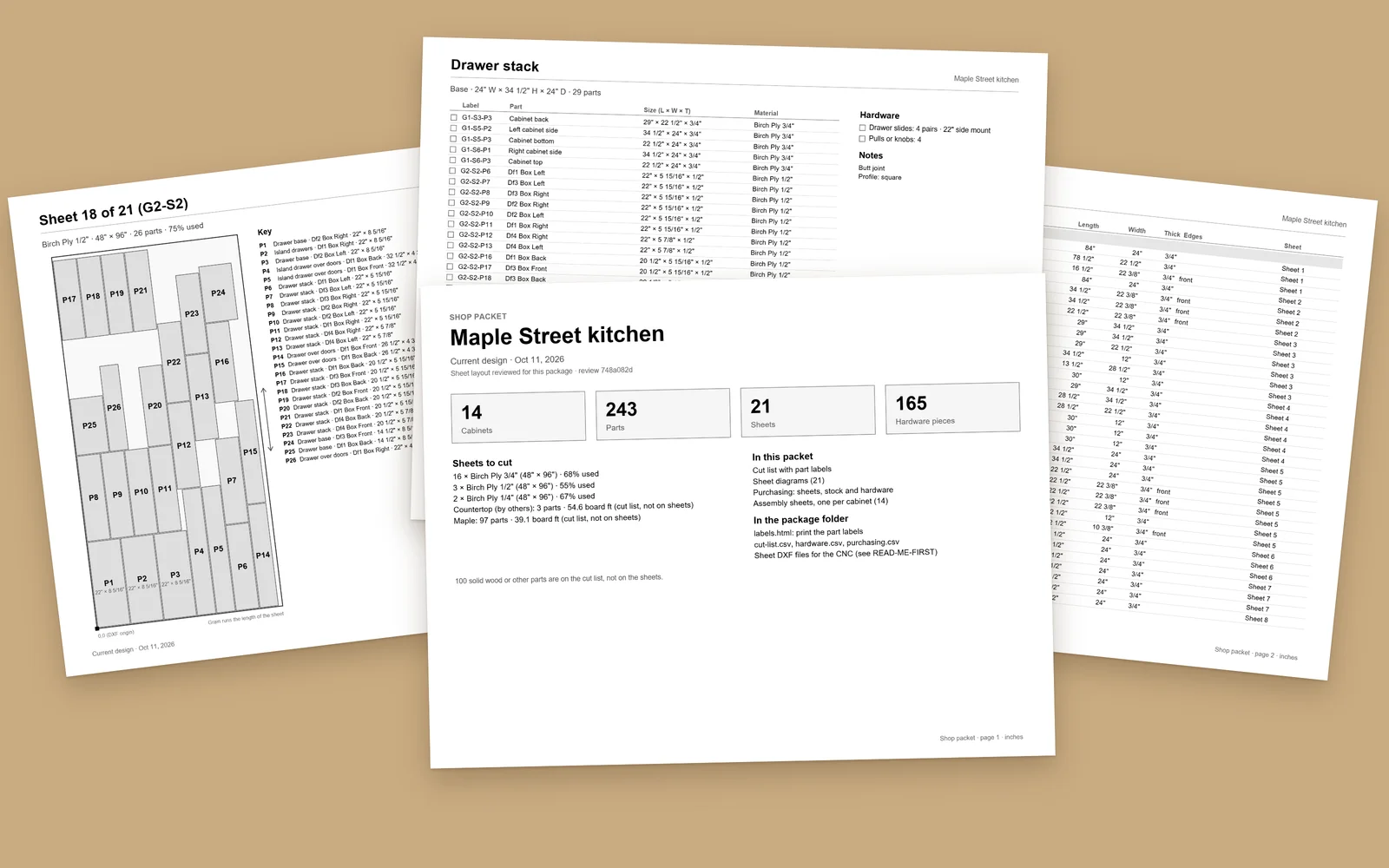
ShopReady Cabinets for SketchUp builds cabinets as real SketchUp geometry, in the same model as the room and everything else you draw. It carries them through to the cut list, the sheets, the shop's packet and the router's programs without leaving the model.
In SketchUp
See it work in SketchUp.
Short clips of ShopReady Cabinets for SketchUp running in SketchUp: sizes, fronts, drawers, shelves, finishes, columns, benches, pieces of your own and the parts on the sheet.
More than cabinets
Tools that make SketchUp easier to use.
Cabinets adds its own toolbars to SketchUp. They work on anything in your model, not only on cabinets.
Quick Actions
- Rotate a quarter turn, a half turn or any angle you type
- Flip left to right or front to back
- Move by an exact step along X, Y or Z, or from point to point
- Set a picked point to an exact height
- Open and close doors and drawers; show or hide part sizes
- Round or bevel a selected edge
- Cut a section through the model with a slice window
View
- Get Unstuck: back the camera out of a wall to a clear view
- Stand Here: put the camera where you click, at eye height
- Face It: look square-on at a cabinet, even in a tight room
- Step to the next or the previous cabinet
- Isolate what is selected, or clear away what is in the way
- Show Again brings it all back; Go Back returns the last view
Parts you draw yourself
- Quick Part: draw a piece, type its name, and it joins the cut list
- A box rides with each new piece and shows its size as you draw
- Lathe: turn a leg, a column or a spindle and watch it turned
- Turn Profile: spin a half outline into a turned part
One set of cabinet rules
The same cabinet rules as ShopReady Cabinets Standalone.
The same shared rules make the cut list, the sheets and the shop packet in both programs, so a job can go between the two. Room Layout, the Hardware Catalog and CNC Machining are the very same screens in both.
- Cabinets as ordinary SketchUp objects
- Plain words in every panel and every check
- One tool each for the shop packet, the customer packet and the router programs
- The job stays on your computer
Who it is for
- Cabinet shops, built-in and closet makers and finish carpenters who already draw in SketchUp
- Anyone who wants the cabinets in the same model as the room, the trim and everything else
Looking for something else?
- Anyone without SketchUp. ShopReady Cabinets Standalone is the standalone program and needs none.
- The web and tablet SketchUp, which take no extensions.
- Drawing single parts or signs. That is ShopReady Draft.
What you need
- SketchUp for the desktop, 2024 or newer, on Windows or a Mac.
- No account and no connection.
- A mouse with a wheel, as for SketchUp itself.
Works with
The rest of the family.
Pricing
Plain prices.
The same price on Windows and Mac. No sales call.